What are Interactive Components in Figma?

Learn how interactive components bring real behavior into your prototypes.
Overview

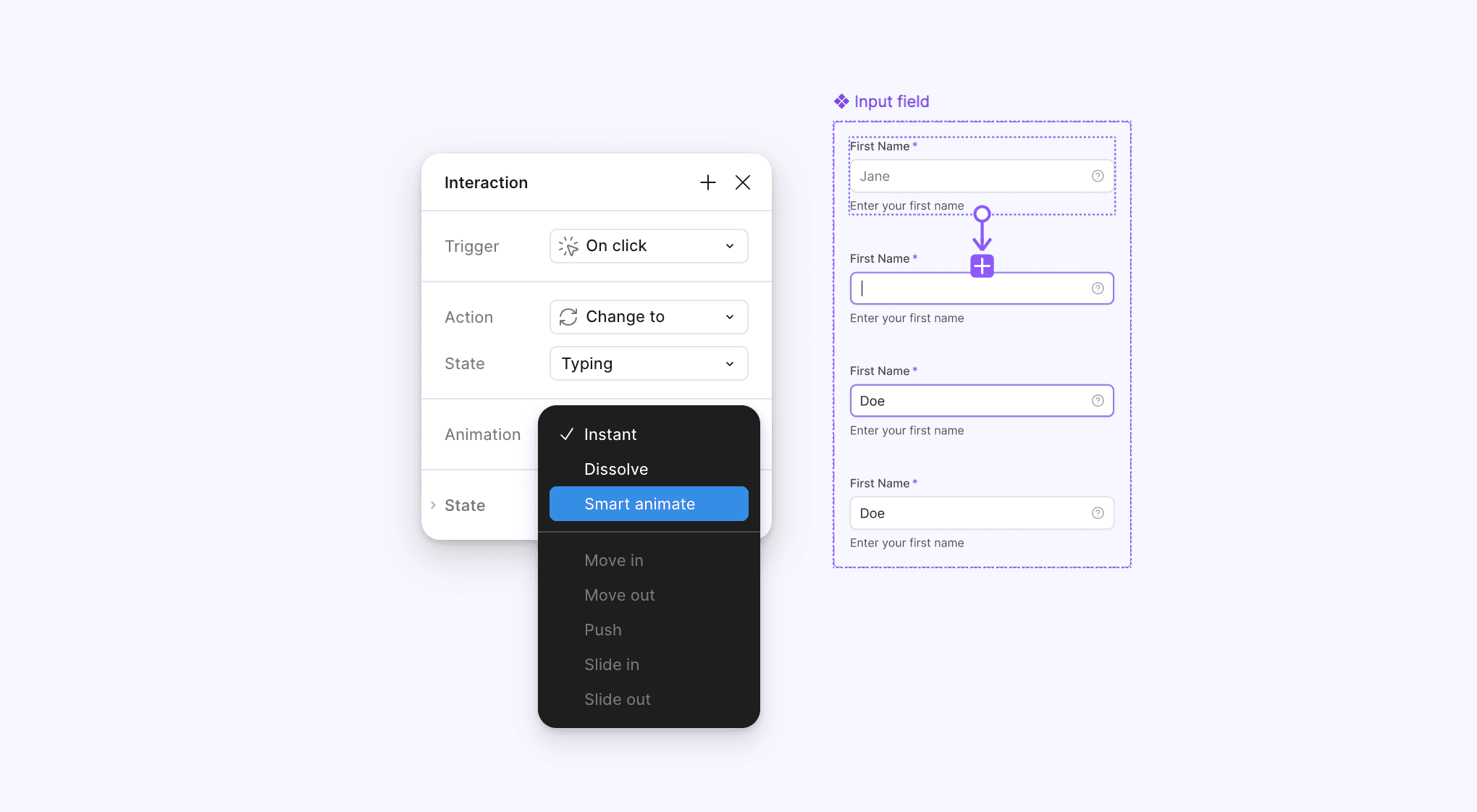
Interactive components in Figma let you build reusable elements with built-in interactions — like hover, pressed, or toggled states — without needing to wire them up manually every time.

How it works

Normally, prototyping requires linking frames together to simulate interaction. With interactive components, the behavior is embedded directly into the component itself. For example, a button can automatically switch between default and hover states, or a toggle can move between on and off, without you having to duplicate screens or connections.

This makes prototyping much faster and keeps your files cleaner. Interactive components also work beautifully with Variants — you can add interaction logic to your variant sets and reuse them across projects. Combined with Prototyping, Components, and Auto Layout, they allow you to build realistic flows with fewer screens and less maintenance.

Practical examples

  • Buttons that switch between hover and pressed states automatically

  • Toggles and switches that flip between on/off states

  • Dropdown menus that expand and collapse naturally

  • Reusable interactive elements inside larger Design Systems

Recommended Courses

Recommended Courses

Recommended Courses

Recommended Courses

Practical Figma training for your own work: private lessons, individual bootcamp places, and separately quoted company workshops. Discuss the tools and learning goals before booking.

Private 1-on-1 Figma lessons

Individual bootcamp places

Team and corporate workshops

Figma AI, agent & Make workflows

Practical, hands-on exercises

Offers

Need Help Learning Figma Faster?

What would you like to learn next?

Discuss your goals in a free 15-minute call. Choose practical Figma training, AI coaching, an individual bootcamp place, or a workshop for your team.

Practical Figma and AI training for individuals and teams. Choose private coaching, or discuss a tailored bootcamp or company workshop.

Copyright 2026 — All rights reserved.

Design Tools Coach is an independent training service, not affiliated with, sponsored by, or endorsed by Figma, OpenAI, Anthropic, or Google. Product names, logos, and brands belong to their respective owners.