What is a Design System in Figma?
Learn how design systems create consistency, scalability, and speed in your workflow.
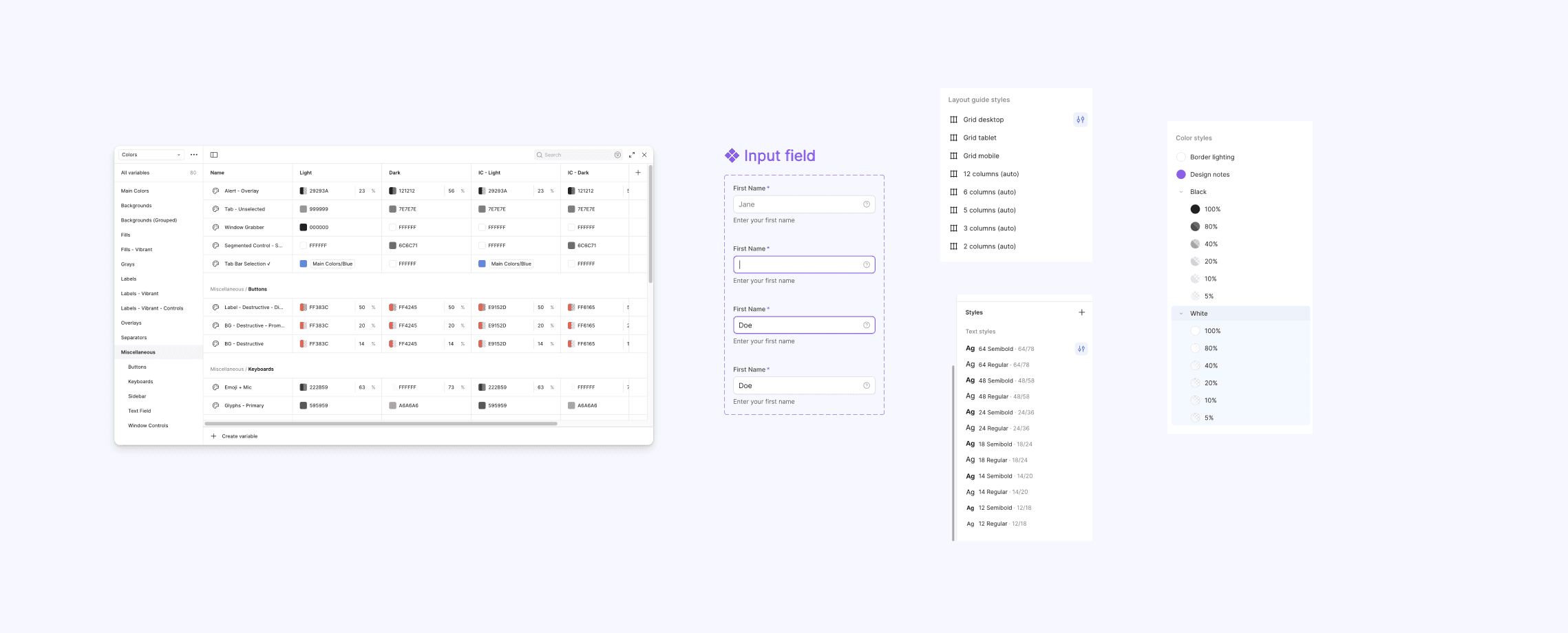
Overview
A design system in Figma is a collection of reusable styles, components, and guidelines that keep your product consistent. Instead of designing each screen from scratch, a design system gives you a shared set of rules and assets that speed up your work and make collaboration easier.
How it works
Franchise and multi-brand teams often ask how to share logos, templates, and design assets with non-designers. A Figma design system solves this by acting as a single source of truth — making approved assets available with appropriate editing and publishing permissions. A library does not remove the need for ownership and access controls.
Design systems connect everything together. At their core are Components — reusable buttons, cards, inputs, and navigation elements. These components often rely on Variables for colors, typography, and spacing, and are arranged using Auto Layout to make them responsive. Together, these features create scalable systems that can grow as your product evolves.
For teams, design systems ensure everyone works consistently. Designers and developers share the same source of truth, which reduces errors and speeds up releases. Systems also make it easier to maintain multiple products or brands, since you can swap styles or themes globally instead of redesigning everything from scratch.
Practical examples
Creating a shared component library for your entire team
Maintaining consistent typography and color tokens across projects
Building reusable patterns and testing them with realistic content and widths
Scaling multiple products under the same brand identity
From a library to Make context
A maintained design library is useful context, but it is not automatically a production component package. Read the Make kit readiness guide to separate design assets, code packages, and usage guidance before planning training.


Practical Figma training for your own work: private lessons, individual bootcamp places, and separately quoted company workshops. Discuss the tools and learning goals before booking.
Private 1-on-1 Figma lessons
Individual bootcamp places
Team and corporate workshops
Figma AI, agent & Make workflows
Practical, hands-on exercises
Offers