What is Auto Layout in Figma?
Learn how Auto Layout makes your designs flexible, responsive, and easier to manage.
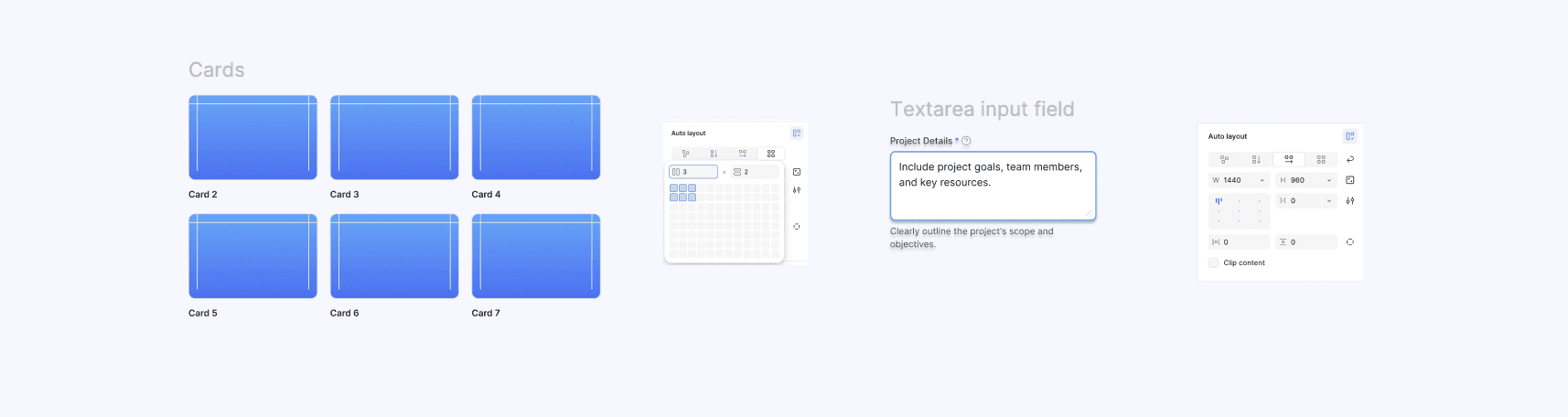
Overview
Auto Layout in Figma is a feature that automatically adjusts how elements resize and reposition as content changes. Instead of manually aligning every element, Auto Layout keeps spacing consistent and makes your designs adapt across different screen sizes.
How it works
Many beginners struggle when trying to design a grid of cards or a responsive section for a landing page, email, or paid social graphic. Auto Layout solves this by letting you define rules for spacing, alignment, and padding so everything behaves predictably.
For example, if you add a new card to a grid, Auto Layout ensures the spacing remains consistent without you dragging elements into place. A button configured to hug its contents can resize when its text changes; fixed or fill settings behave differently. When combined with Constraints and Grids, Auto Layout becomes the backbone of responsive design.
Clients often ask for step-by-step tutorials on Auto Layout because it’s the first hurdle in designing professional layouts. Once mastered, it not only speeds up your workflow but also prepares your files for Developer Handoff, since engineers can mirror the spacing logic directly in code.
Practical examples
Designing a responsive grid of cards for a SaaS dashboard
Building a landing page section that adapts across desktop and mobile
Preparing email-layout designs for a separate implementation and email-client testing workflow
Making social ads where text changes but spacing stays clean
Review the rules, not just the screenshot
Figma supports horizontal, vertical, and grid Auto Layout flows. Refer to the current Auto Layout guide, then test a small example with different text lengths. These checks remain useful when reviewing AI-assisted design work.


Practical Figma training for your own work: private lessons, individual bootcamp places, and separately quoted company workshops. Discuss the tools and learning goals before booking.
Private 1-on-1 Figma lessons
Individual bootcamp places
Team and corporate workshops
Figma AI, agent & Make workflows
Practical, hands-on exercises
Offers