What are Components in Figma?
Learn how components make your designs faster, consistent, and easier to manage.
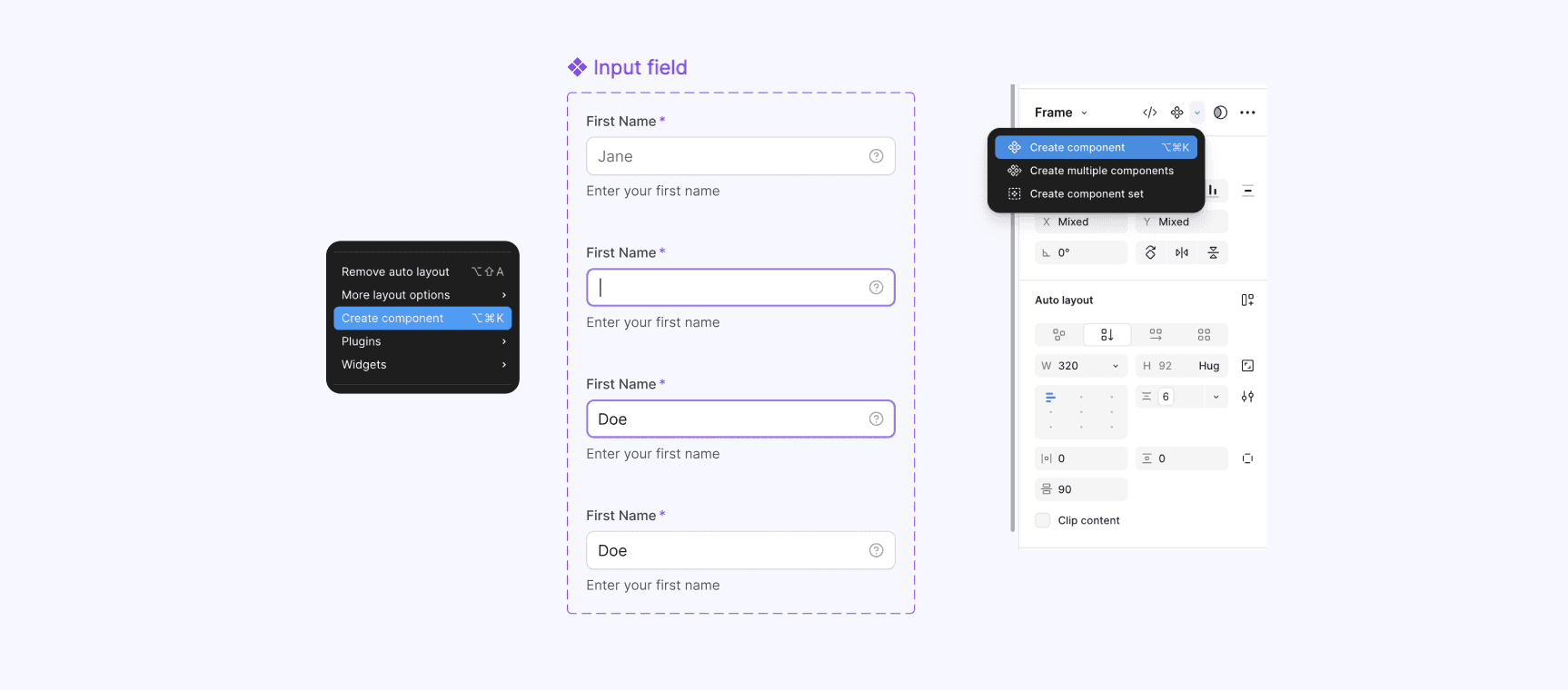
Overview
Components in Figma are reusable design elements that help you work faster and keep your projects consistent. A component can be anything — a button, a card, or even a full navigation bar — and every time you reuse it, connected instances can receive updates from the main component, subject to overrides and library-update workflows.
How it works
Instead of redrawing 20–30 app screens by hand, components let you create reusable buttons, cards, or onboarding flows that scale across your MVP. Clients often ask how to edit quickly without breaking designs — components are the answer.
The power of components lies in scalability. Instead of manually editing dozens of elements, you can edit the main component and review how updates affect connected instances and their overrides. This saves hours of repetitive work and ensures your designs stay aligned with your system’s rules. Components also support variants, which allow you to create different states (hover, pressed, disabled) or styles (light, dark, large, small) within a single, organized component set.
For teams, components form the foundation of a design system. Shared libraries let everyone work with the same buttons, forms, and layouts, reducing errors and ensuring a unified experience across your product. Whether you’re prototyping quickly or building enterprise-level systems, components make Figma a tool for both speed and consistency.
Practical examples
Creating buttons that stay consistent across dozens of screens
Designing cards and lists that can be reused and updated in seconds
Building form elements (inputs, dropdowns, checkboxes) with multiple states
Maintaining a design system where everyone uses the same building blocks


Practical Figma training for your own work: private lessons, individual bootcamp places, and separately quoted company workshops. Discuss the tools and learning goals before booking.
Private 1-on-1 Figma lessons
Individual bootcamp places
Team and corporate workshops
Figma AI, agent & Make workflows
Practical, hands-on exercises
Offers