For designers
Already a designer? Make the move to Figma.
Your design experience is the starting point. Moving from Adobe XD, Sketch, Axure, Photoshop, or another tool? Learn Auto Layout, components, variants, and responsive layouts using your own files, with patient, practical guidance at your pace. Start with one lesson or choose prepaid coaching hours.


Trusted by 1,000+ students worldwide

Pay securely, then follow the instructions to schedule your lesson.

Tim
Marta
Sam
Elon

Mark
For designers
Already a designer? Make the move to Figma.
Your design experience is the starting point. Moving from Adobe XD, Sketch, Axure, Photoshop, or another tool? Learn Auto Layout, components, variants, and responsive layouts using your own files, with patient, practical guidance at your pace. Start with one lesson or choose prepaid coaching hours.
Trusted by 1,000+ students worldwide
Pay securely, then follow the instructions to schedule your lesson.
Tim
Marta
Sam
Elon
Mark
Who this is for
For individual learners building practical Figma skills for product, brand, or creative work.
New designers
Learn Figma from scratch with a practical foundation.
Designers switching to Figma
Bring years of Adobe XD, Sketch or graphic-design experience into Figma—learn responsive layouts and reusable components without starting from zero.
Freelancers
Build professional design systems and prototypes for client work.
In-house designers
Speed up workflows and collaborate more effectively.
Book a free 15-minute consultation
Choose a time to discuss your goals and the right training format. This call is separate from a paid lesson.
Already have an account?
Book a free 15-minute consultation
Choose a time to discuss your goals and the right training format. This call is separate from a paid lesson.
Already have an account?
What you’ll learn
Choose a focus that matches your current skills. AI topics are scoped around a practical task and the features available in your account.
Figma Foundations
Navigate files, work with frames, and organize a clear starting point.
Auto Layout & Layout Guides
Practise resizing, spacing, and layouts at different intended widths.
Components & Variants
Build reusable elements with clear properties and states.
Interactive Prototypes
Connect flows and review interactions with realistic content.

Figma Make
Prompt a working prototype, refine it, and check the result.
Collaboration & Dev Mode
Prepare clear design intent and resolve handoff questions.
Figma AI & the Agent
Provide relevant context, guide canvas edits, and review changes.
Brand Assets & Presentations
Discuss practical workflows in Figma Buzz and Figma Slides.
Design Systems & Make Kits
Explore how reusable assets and guidance support consistent work.
Elon
Tim

Lee
Marta

Mark

Sam
What you’ll learn
Choose a focus that matches your current skills. AI topics are scoped around a practical task and the features available in your account.
Figma Foundations
Navigate files, work with frames, and organize a clear starting point.
Auto Layout & Layout Guides
Practise resizing, spacing, and layouts at different intended widths.
Components & Variants
Build reusable elements with clear properties and states.
Interactive Prototypes
Connect flows and review interactions with realistic content.
Figma Make
Prompt a working prototype, refine it, and check the result.
Collaboration & Dev Mode
Prepare clear design intent and resolve handoff questions.
Figma AI & the Agent
Provide relevant context, guide canvas edits, and review changes.
Brand Assets & Presentations
Discuss practical workflows in Figma Buzz and Figma Slides.
Design Systems & Make Kits
Explore how reusable assets and guidance support consistent work.
Elon
Tim
Lee
Marta
Mark
Sam
What you’ll learn
Choose a focus that matches your current skills. AI topics are scoped around a practical task and the features available in your account.
Figma Foundations
Navigate files, work with frames, and organize a clear starting point.
Auto Layout & Layout Guides
Practise resizing, spacing, and layouts at different intended widths.
Components & Variants
Build reusable elements with clear properties and states.
Interactive Prototypes
Connect flows and review interactions with realistic content.
Figma Make
Prompt a working prototype, refine it, and check the result.
Collaboration & Dev Mode
Prepare clear design intent and resolve handoff questions.
Figma AI & the Agent
Provide relevant context, guide canvas edits, and review changes.
Brand Assets & Presentations
Discuss practical workflows in Figma Buzz and Figma Slides.
Design Systems & Make Kits
Explore how reusable assets and guidance support consistent work.
Tim
Lee
Marta
Mark
What you’ll learn
Choose a focus that matches your current skills. AI topics are scoped around a practical task and the features available in your account.
Figma Foundations
Navigate files, work with frames, and organize a clear starting point.
Auto Layout & Layout Guides
Practise resizing, spacing, and layouts at different intended widths.
Components & Variants
Build reusable elements with clear properties and states.
Interactive Prototypes
Connect flows and review interactions with realistic content.
Figma Make
Prompt a working prototype, refine it, and check the result.
Collaboration & Dev Mode
Prepare clear design intent and resolve handoff questions.
Figma AI & the Agent
Provide relevant context, guide canvas edits, and review changes.
Brand Assets & Presentations
Discuss practical workflows in Figma Buzz and Figma Slides.
Design Systems & Make Kits
Explore how reusable assets and guidance support consistent work.
Elon
Tim
Lee
Marta
Mark
Sam
Why Learn 1:1 with Us Instead of Going Solo
Pre-recorded videos can be useful for fundamentals. Live coaching helps when the software changes, a step is confusing, or you need guidance on your own files.
With live 1:1 coaching
Tailored learning plans for your goals and skill level
Real-time feedback on your projects
Faster progress without trial-and-error
Practical, real-world workflows you can use immediately
With pre-recorded videos alone
Generic tutorials not tailored to your needs
No feedback loop to correct mistakes
Slower learning curve
Risk of building bad habits
See all Figma coaching packages
Compare prepaid Figma coaching hours and buy on the Pricing page. Already have coaching hours? Log in to book using your balance.
See all Figma coaching packages
Compare prepaid Figma coaching hours and buy on the Pricing page. Already have coaching hours? Log in to book using your balance.
See all Figma coaching packages
Compare prepaid Figma coaching hours and buy on the Pricing page. Already have coaching hours? Log in to book using your balance.
See all Figma coaching packages
Compare prepaid Figma coaching hours and buy on the Pricing page. Already have coaching hours? Log in to book using your balance.
Student Testimonials
What Students Are Saying
Feedback from learners who have worked with Dejan through private, one-to-one Figma coaching.
SM

@marylouc
Canada
Super happy with my choice! Dejan is knowledgeable, patient, and explains everything with clarity. His 1:1 Figma coaching helped me make real progress quickly.

TM
@DavidRitter
United States
Dejan's ability to simplify complex design concepts is unmatched. His 1:1 Figma sessions are a must for anyone who wants to retain real, applicable skills. I can't recommend him enough!
SM

@joyceng501
Singapore
Dejan's professionalism and deep knowledge of Figma made every session insightful and enjoyable. His attention to detail truly stands out. Great for UX professionals!
MA

@matthew_arieta
United States
Working with Dejan was a breeze. His Figma coaching went above and beyond—structured, supportive, and filled with valuable feedback. A fantastic instructor for both new and experienced designers.
SM

@baldtel
United Kingdom
I learned more from two Figma coaching sessions with Dejan than I could have in months on my own. His teaching style is clear, powerful, and motivating. Highly recommended for beginners!
Student Testimonials
What Students Are Saying
Feedback from learners who have worked with Dejan through private, one-to-one Figma coaching.
SM
@marylouc
Canada
Super happy with my choice! Dejan is knowledgeable, patient, and explains everything with clarity. His 1:1 Figma coaching helped me make real progress quickly.
TM
@DavidRitter
United States
Dejan's ability to simplify complex design concepts is unmatched. His 1:1 Figma sessions are a must for anyone who wants to retain real, applicable skills. I can't recommend him enough!
SM
@joyceng501
Singapore
Dejan's professionalism and deep knowledge of Figma made every session insightful and enjoyable. His attention to detail truly stands out. Great for UX professionals!
MA
@matthew_arieta
United States
Working with Dejan was a breeze. His Figma coaching went above and beyond—structured, supportive, and filled with valuable feedback. A fantastic instructor for both new and experienced designers.
SM
@baldtel
United Kingdom
I learned more from two Figma coaching sessions with Dejan than I could have in months on my own. His teaching style is clear, powerful, and motivating. Highly recommended for beginners!
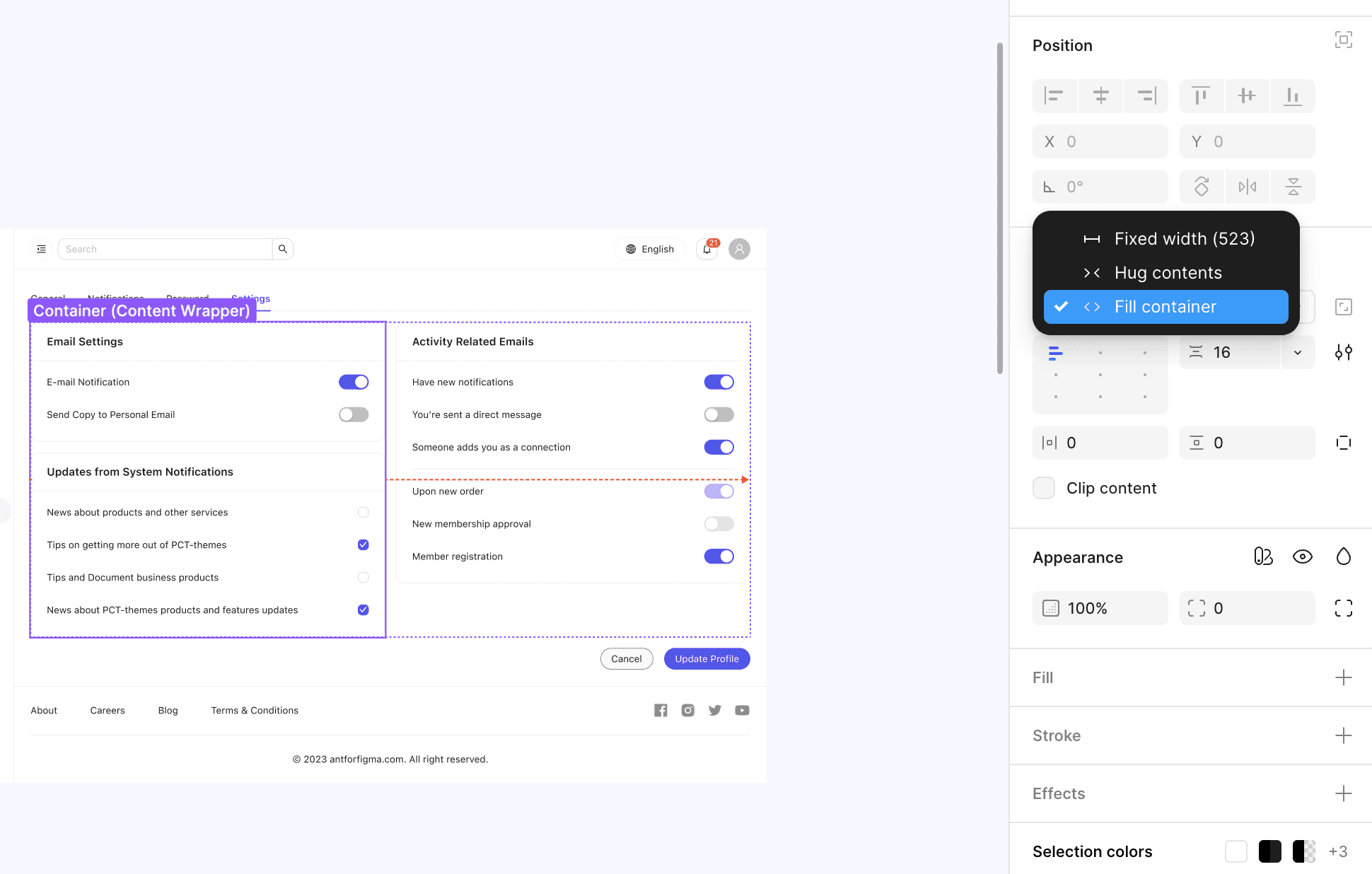
Courses
Explore Our Figma Courses
Prefer a topic-based programme? Explore individual Figma bootcamps; private coaching hours are a separate offer.


Courses
Explore Our Figma Courses
Prefer a topic-based programme? Explore individual Figma bootcamps; private coaching hours are a separate offer.
Courses
Explore Our Figma Courses
Prefer a topic-based programme? Explore individual Figma bootcamps; private coaching hours are a separate offer.
Courses
Explore Our Figma Courses
Prefer a topic-based programme? Explore individual Figma bootcamps; private coaching hours are a separate offer.
FAQ for Designers
How private lessons work, which tools we can cover, and how to choose a learning focus.
I know Adobe or Sketch. Can I learn Figma without starting over?
Yes. We build on the design skills you already have and focus on what works differently in Figma: Auto Layout, responsive sizing, components, variants and shared files. If you are completely new to design, we can start with the foundations instead.
Can I focus my 1:1 lessons on Figma Make or the AI agent?
Yes. Choose a practical goal such as refining a Make prototype, giving the agent better context, or using existing components consistently. We confirm the task and your tool access first. The listed designer packages remain private lessons for one learner.
Will I learn design systems and Make kits?
These can be a lesson focus. We can discuss components, variables, library structure, and Make kit readiness. A design library and a production code package are different inputs; advanced code-library integration is scoped separately with the right developer and admin access.
Can I bring my own projects to lessons?
Yes. Bring a file or project you are working on, including broken Auto Layout, components or prototypes. We can diagnose the blocker, improve the file together and explain the pattern so you can use it again.
Tim
Marta
Sam
Elon
Mark
What would you like to learn next?
Discuss your goals in a free 15-minute call. Choose practical Figma training, AI coaching, an individual bootcamp place, or a workshop for your team.



Practical Figma and AI training for individuals and teams. Choose private coaching, or discuss a tailored bootcamp or company workshop.
Copyright 2026 — All rights reserved.
Design Tools Coach is an independent training service, not affiliated with, sponsored by, or endorsed by Figma, OpenAI, Anthropic, or Google. Product names, logos, and brands belong to their respective owners.
What would you like to learn next?
Discuss your goals in a free 15-minute call. Choose practical Figma training, AI coaching, an individual bootcamp place, or a workshop for your team.
Practical Figma and AI training for individuals and teams. Choose private coaching, or discuss a tailored bootcamp or company workshop.
Copyright 2026 — All rights reserved.
Design Tools Coach is an independent training service, not affiliated with, sponsored by, or endorsed by Figma, OpenAI, Anthropic, or Google. Product names, logos, and brands belong to their respective owners.