What are Plugins in Figma?

Learn how plugins extend Figma with automation, content, and advanced workflows.
Overview

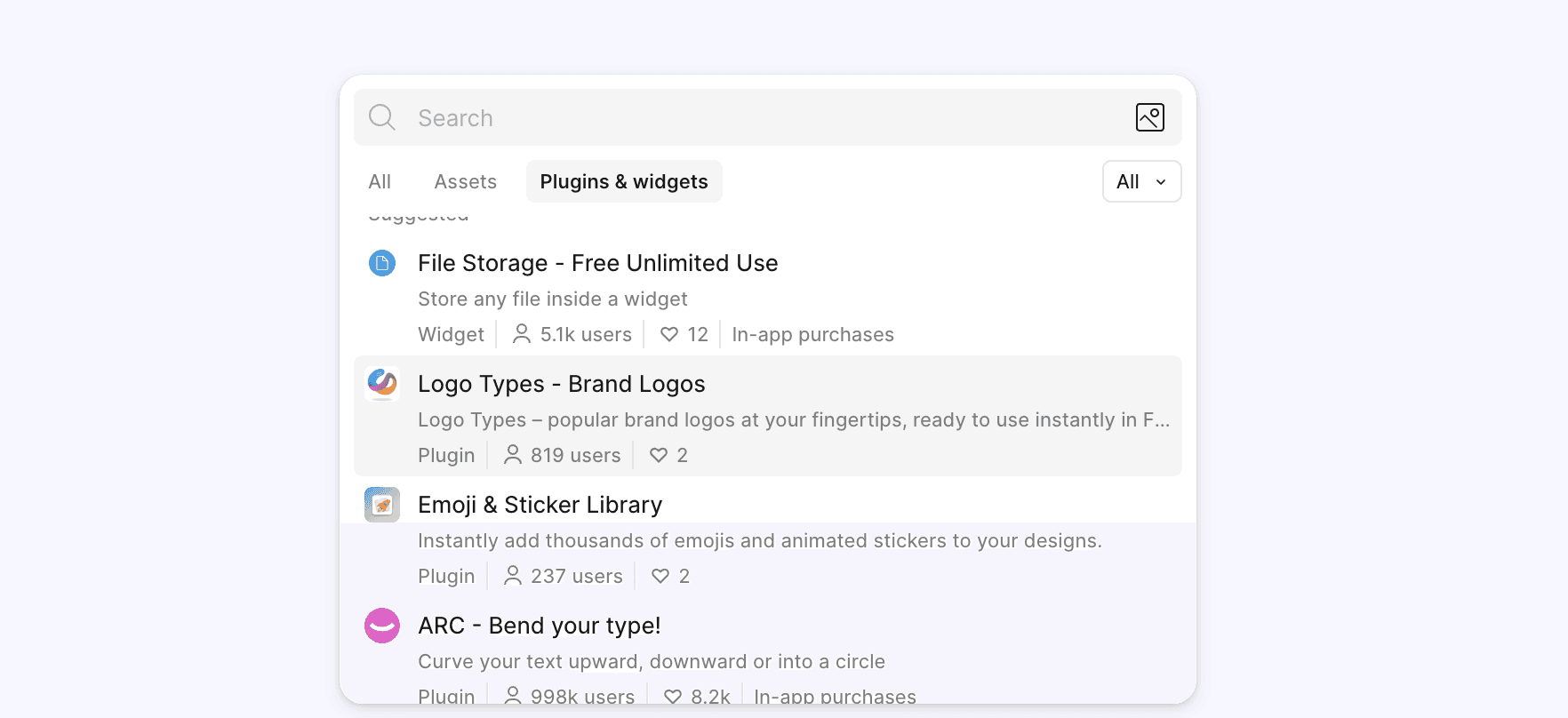
Plugins in Figma are third-party tools you can install to extend what Figma can do. They help with everything from generating placeholder text and images to automating tasks, cleaning up files, or even connecting with external platforms.

How it works

Plugins are like shortcuts that save time and add extra power to your workflow. For example, instead of manually creating avatars, you can use a plugin to pull in realistic user profile photos. Or, instead of building color palettes by hand, you can generate them instantly. Developers and teams often use plugins to export assets, prepare handoff, or connect Figma with code.

Plugins also pair well with Figma’s core features. You can use them to bulk-rename Components, manage Variables, or automate tedious layout tasks so you can focus on design. While plugins aren’t required to use Figma effectively, they can dramatically speed up your process and unlock new workflows.

Practical examples

  • Generating avatars, icons, or dummy content for mockups

  • Automating repetitive tasks like renaming or resizing layers

  • Exporting assets for developers in different formats

  • Cleaning up design files to keep Design Systems organized

Plugins are not the same as the Figma agent

Choose plugins around a defined task and review their permissions. They are distinct from the platform’s native AI workflows; the agent and Make comparison helps explain those options.
Recommended Courses

Recommended Courses

Recommended Courses

Recommended Courses

Practical Figma training for your own work: private lessons, individual bootcamp places, and separately quoted company workshops. Discuss the tools and learning goals before booking.

Private 1-on-1 Figma lessons

Individual bootcamp places

Team and corporate workshops

Figma AI, agent & Make workflows

Practical, hands-on exercises

Offers

Need Help Learning Figma Faster?

What would you like to learn next?

Discuss your goals in a free 15-minute call. Choose practical Figma training, AI coaching, an individual bootcamp place, or a workshop for your team.

Practical Figma and AI training for individuals and teams. Choose private coaching, or discuss a tailored bootcamp or company workshop.

Copyright 2026 — All rights reserved.

Design Tools Coach is an independent training service, not affiliated with, sponsored by, or endorsed by Figma, OpenAI, Anthropic, or Google. Product names, logos, and brands belong to their respective owners.