What are Variables in Figma?
Learn how variables make your designs adaptable, multi-themed, and easier to maintain.
Overview
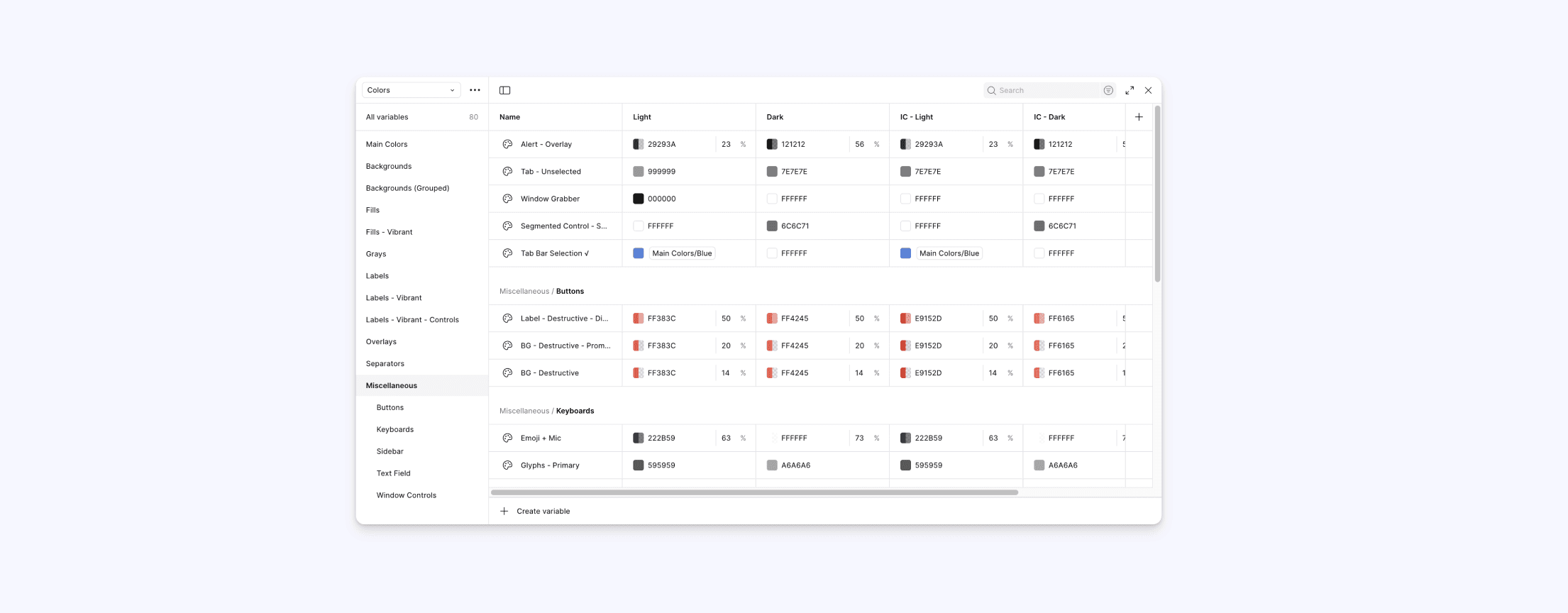
Variables in Figma let you define reusable values — like colors, spacing, typography, or even strings of text — and apply them consistently across your designs. Instead of updating each button, card, or component manually, you change the variable once and every connected element updates instantly.
How it works
Variables are especially powerful for multi-theme designs like light and dark mode, or when you need flexible brand palettes across web, email, and social campaigns. Teams use supported variable types and properties for reusable design decisions. Check what a property accepts rather than treating typography or motion as separate variable types.
When combined with Components and Auto Layout, variables allow you to build design systems that scale smoothly. You can update global tokens, test multiple styles quickly, and maintain consistency across large projects. For teams, this reduces confusion and ensures developers and designers are always working with the same source of truth.
Practical examples
Switching between light mode and dark mode designs instantly
Creating global spacing and typography rules for consistent layouts
Managing multiple themes (e.g., brand colors, seasonal campaigns)
Connecting variables to Design Systems for scalability
Keep the source of values clear
Use Figma’s variable documentation to check supported types and properties. For Make workflows, review the Make kit guide rather than assuming a design library transfers every token and behaviour unchanged.


Practical Figma training for your own work: private lessons, individual bootcamp places, and separately quoted company workshops. Discuss the tools and learning goals before booking.
Private 1-on-1 Figma lessons
Individual bootcamp places
Team and corporate workshops
Figma AI, agent & Make workflows
Practical, hands-on exercises
Offers