New
Course
Responsive Design in Figma Bootcamp
Master Auto Layout, constraints, and breakpoints in Figma to design interfaces that adapt across devices.


Trusted by 1,000+ students worldwide


Tim
Marta
Elon
Mark
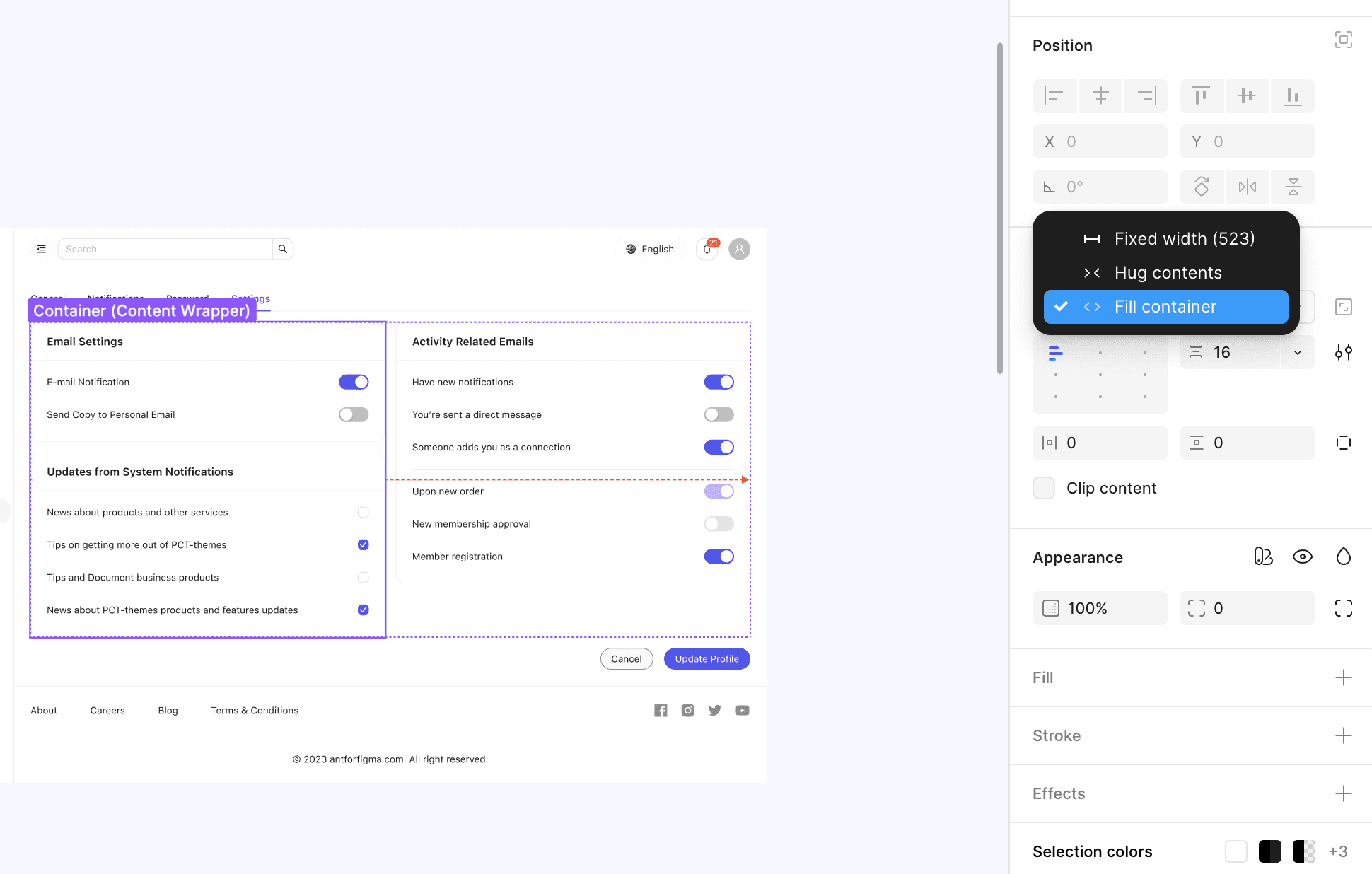
Designing responsive layouts in Figma is one of the biggest challenges in modern product design. In this 4-week Figma responsive design bootcamp, you’ll learn how to use Auto Layout, constraints, and breakpoints to create flexible designs that adapt seamlessly across desktop, tablet, and mobile. This Figma training course will help you build the confidence to design interfaces that scale effortlessly — a core skill for any design system professional.
We’ll start with the foundations of frames and constraints, then move into advanced Auto Layout techniques for building flexible, reusable UI components. You’ll also learn how to set up design systems that automatically adjust to different screen sizes, and how to preview and test your work across multiple devices to ensure pixel-perfect results. These are the same techniques used in advanced Figma team workshops to improve collaboration and efficiency.
Because the class is limited to a small group of 3–4 participants, you’ll receive direct feedback on your own projects and guidance on solving real-world responsive design challenges. By the end, you’ll have a reusable toolkit of responsive Figma components and layouts — ready to implement in professional projects and design system training environments.
Audience
Designers
Teams
Developers
Product Managers
Curriculum
We tailor every session to your tools, workflows, and business goals. Topics can include:
Week 1 — Frames & Constraints
Learn how frames and constraints define responsive layouts
Practice resizing elements while maintaining alignment
Explore how constraints affect scaling across devices
Build your first simple responsive frame
Week 2 — Auto Layout Deep Dive
Use Auto Layout for flexible, scalable designs
Nest and combine layouts for complex interfaces
Learn spacing, padding, and alignment rules
Apply Auto Layout to common UI elements like cards and forms
Week 3 — Breakpoints & Device Previews
Understand breakpoints and adaptive design
Preview designs across desktop, tablet, and mobile
Explore responsive typography and spacing systems
Adjust prototypes for multi-device testing
Week 4 — Responsive Components & Testing
Build responsive components with variables and Auto Layout
Learn best practices for scalable design libraries
Test designs for real-world use cases
Final project: design a responsive landing page prototype
Student Testimonials
What Students Are Saying
Real Student Reviews from Private Figma Lessons. See how learners from around the world are mastering Figma with personalized, 1:1 coaching.






Frequently Asked Questions
How are the lessons structured?
Who is this Figma course for?
Will I receive support during the course?
Is Figma beginner-friendly?
Can I share Figma designs with non-users?
How can I learn Figma effectively?
Can learning Figma help my career?
What will I learn?
What makes Figma different from other tools like Sketch or Adobe XD?
Do I need prior design experience?
Responsive Design in Figma Bootcamp


$450
4-week bootcamp
Learn Figma from scratch in a collaborative small group. Weekly live sessions, hands-on practice, and ongoing support between classes.
Live weekly classes (4 × 2 hrs)
Direct support between sessions
Homework & exercises
Session recordings included